iPad · iPhone
Fotolo
The party photo booth kids run themselves
Set an iPad on a stand at a birthday party and walk away. Children tap a picture, pose for a 3-2-1 countdown, decorate with stickers that find their faces, and the booth resets itself for the next guest. Every photo stays on your device.
One purchase covers your iPad and iPhone, and Family Sharing covers the household. No subscription, no in-app purchases, no account.
Set it down. Walk away.
A photo booth that runs the party for you.
Prop the iPad on a stand by the cake table. A child walks up, taps a picture of what they want, poses for the countdown, decorates the photo, and runs off happy. Fotolo counts itself back to the start screen for the next guest.
Nobody has to stand there operating it, and nobody has to hand the iPad back to a grown-up between turns.
Pictures instead of words
Made for children who can't read yet.
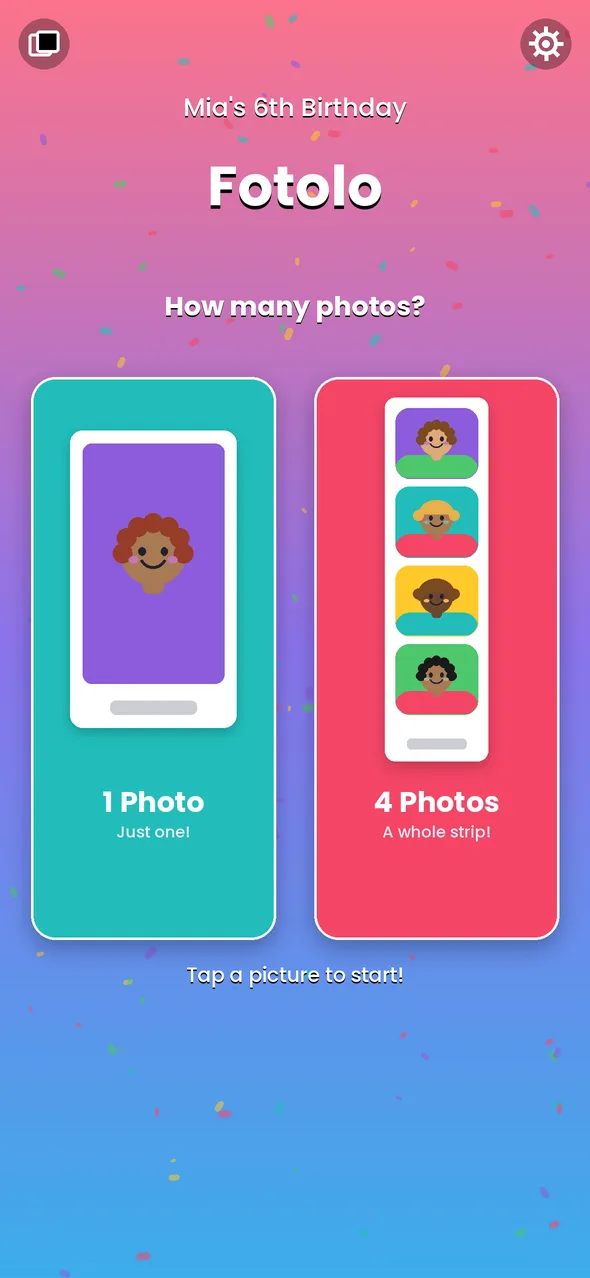
The start screen shows two drawings: one framed photo, or a strip of four. A child taps the one they want, and that tap starts the booth.
Then come huge 3-2-1 numbers with a beep on each, so kids know when to pose even over party noise, a shutter click and a flash.
Stickers that find faces
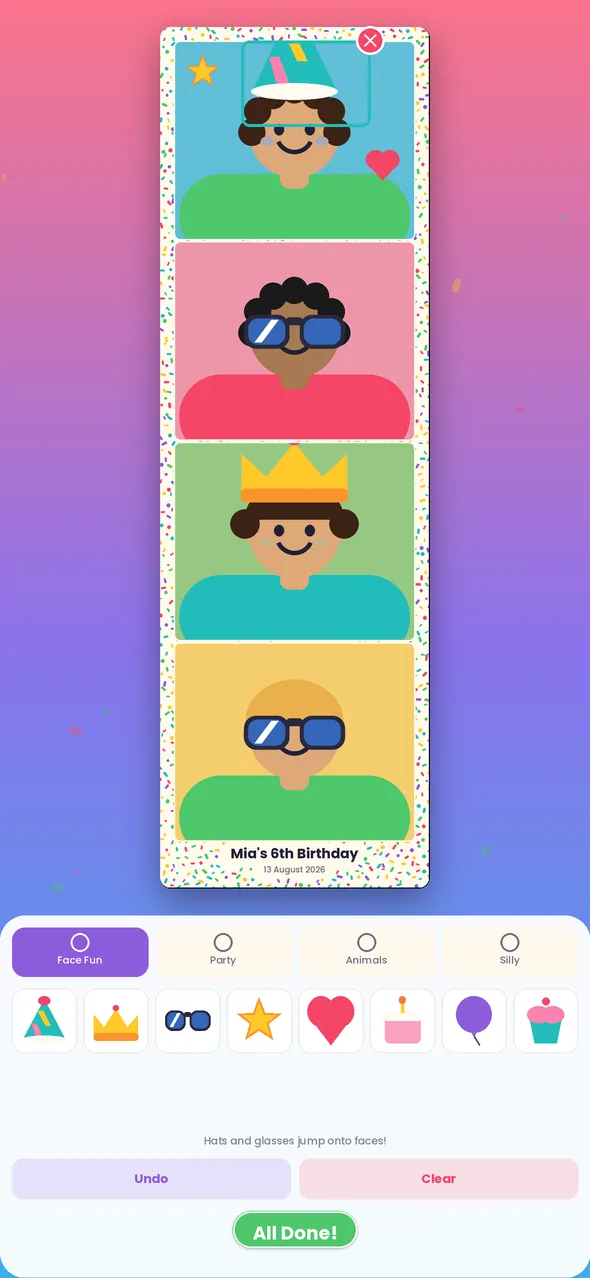
One tap, and everyone gets a party hat.
Tap a hat, a crown, sunglasses or a moustache and it lands on every face in the photo — all four shots of a strip at once. Drag to move, pinch to resize, twist to spin.
Faces are found on the device by Apple's own Vision framework. Fotolo learns only where a face is, so a hat can sit on it, and cannot tell one person from another.
Seven party frames
A frame for every party.
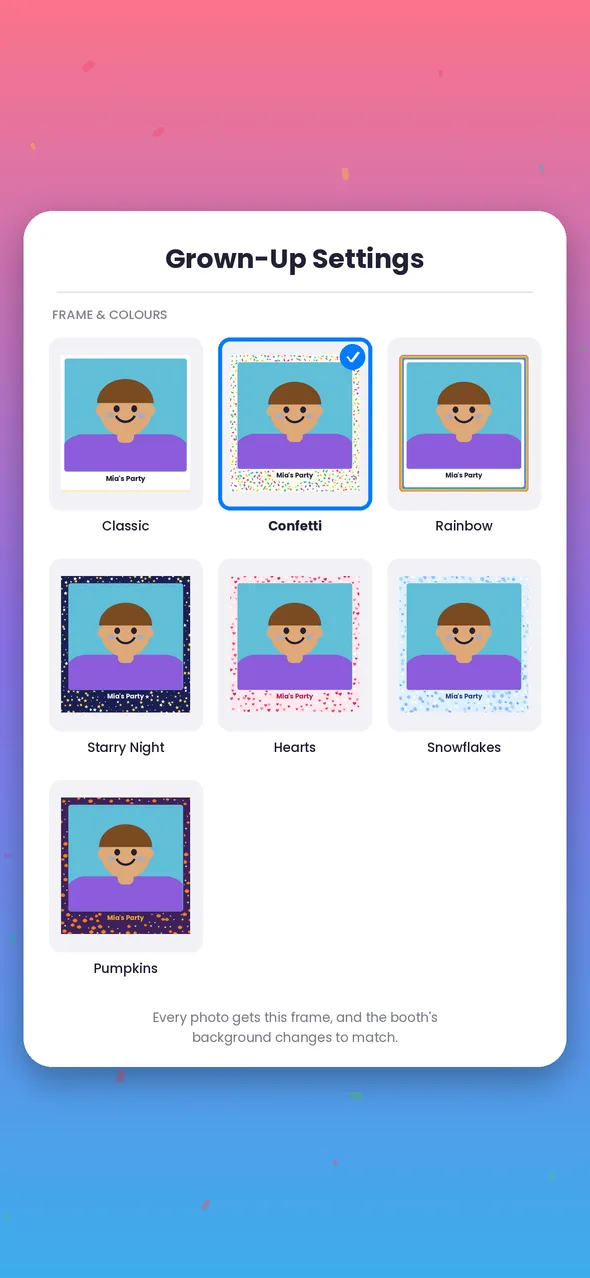
Classic, Confetti, Rainbow, Starry Night, Hearts, Snowflakes and Pumpkins. Type the party's name once — “Mia's 6th Birthday” — and it is printed on every photo with the date.
The booth's own colours change to match the frame you pick, so the whole thing feels made for the day.
Print it on the spot
Guests go home with a photo strip.
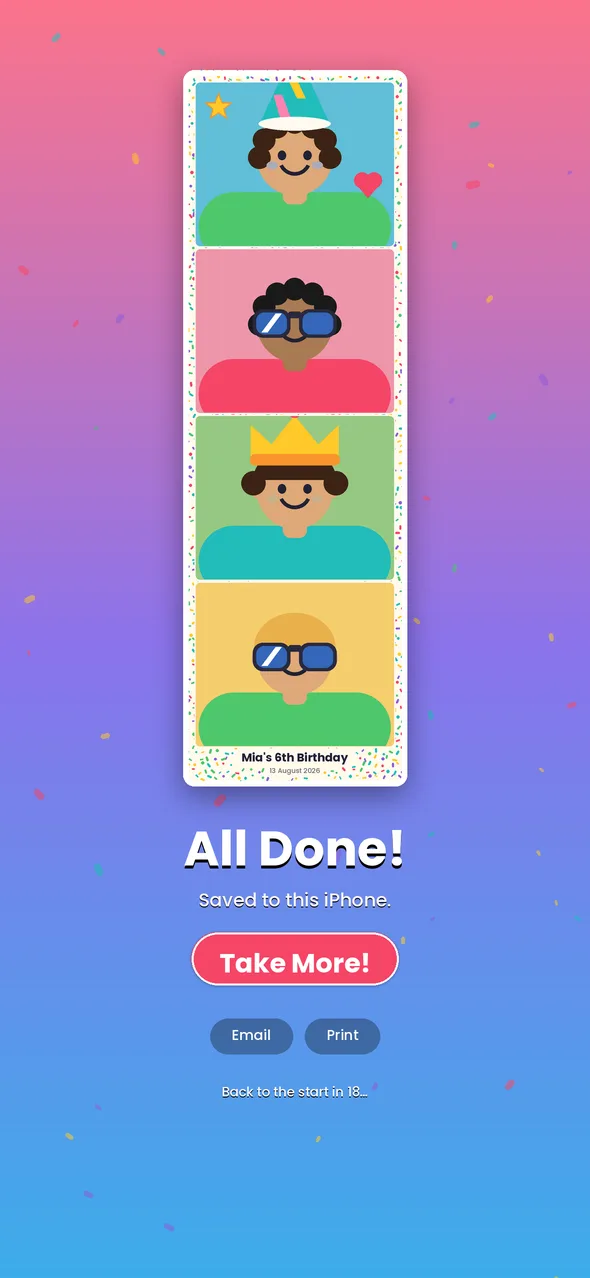
With an AirPrint printer on the same Wi-Fi, a grown-up can print a strip straight from the finished screen, or pick a batch from the party gallery afterwards. Emailing works the same way, through Apple's own mail sheet.
Both sit behind a parental gate: a number written in words that an adult types as digits. Two seconds for you, out of reach for a six-year-old.
Photographs of your children
They stay on your device.
Fotolo contains no networking code at all. It cannot upload a photo, because it has no way to reach the internet.
Photos are kept in the app's private folder, and copied to your Photos app only if you switch that on. There are no accounts, no ads, no analytics and no third-party code. Emailing and printing open Apple's own sheets, and a grown-up presses Send or Print.
The rest of it
Built for a two-hour party.
Resets itself
After each photo the booth counts back to the start screen. The delay is up to you, or off.
Guided Access
Settings explains how to lock the iPad to Fotolo with iOS Guided Access, so little hands can't wander off into other apps.
Party gallery
Every photo of the day in one grid. Email or print a batch, delete a few, or wipe the lot before you hand the iPad back.
iPhone too
The same booth on iPhone, upright and one-handed, for smaller parties or a quick go at the table.
Specifications
- Platforms
- iPad and iPhone with a camera, iOS 17 or later
- Price
- $4.99 once — no subscription, no in-app purchases
- Age
- App Store Kids Category, ages 6–8
- Account required
- None
- Network connections
- None. The app has no networking at all
- Data collected
- None
- Printing
- Any AirPrint printer, through Apple's print sheet
- Languages
- English